Personal

The same agents — off the clock.

Slocat is mostly a business shop, but the technology doesn't stop at the office door. Two things for the rest of your life: a Personal Agent that runs your day by voice or text, and a smart home that actually does what you tell it — the home on your own hardware, the agent on a private instance we run for you.

Three ways to bring it home

Pick the one that fits your life.

Personal Agent · what it actually does

An assistant that runs your day — and does the work, not just the talking.

Talk to it like a person

Voice or text, your choice. Say the wake word and ask out loud, or type — it answers the same way, read aloud or on screen. No rigid command phrases to memorize the way the smart speakers make you.

It handles the busywork

Keeps your calendar — creating, moving, and cancelling events. Works your email: reads it, searches it, drafts and sends replies, files what doesn't matter. Sets reminders and delivers a morning news digest built around what you actually care about.

Real answers, not a pile of links

Ask it anything — the weather, a fact, a comparison — and it searches the web and comes back with the answer, instead of ten blue links to sort through yourself. None of the ads, upsells, or marketing spam the big-tech assistants bury you in.

Wondering how Riley stacks up against ChatGPT?

We wrote the honest comparison — where ChatGPT is the better tool, where Riley pulls ahead, and why your data stays yours. See Why Riley vs. ChatGPT →

Your agent is Riley — but she can be Rick, or Sonny

Same brain, different soul: three distinct characters, each with a story of its own. Meet Riley, Rick & Sonny →

Pair it with Home Automation and it runs your house, too

Add our Home Automation package and the agent controls your home directly — "turn off the downstairs lights," "set the thermostat to 68," "is the garage door closed?" — by voice or text, no app to open. The two pieces are built to work together: the agent is the voice, your Home Assistant install is the hands.

How it's set up

Your own private agent — managed for you.

Unlike the smart-home work, the Personal Agent doesn't need a box in your house. We run it for you in the cloud as your own private agent — isolated from everyone else's, not one big shared assistant pooling its users' data to sell them things. That keeps it always-on, always-updated, and reachable from your phone, your laptop, or a tablet on the counter, with nothing for you to maintain.

It's a simple managed subscription: we host it, keep it current, and fix it the moment something breaks. Your data stays private to your agent, and you can export it or walk away whenever you want.

It installs to your phone like an app — one tap, "Add to Home Screen" — but there's no app store, no account gauntlet, and no setup ritual. Open the link and start talking.

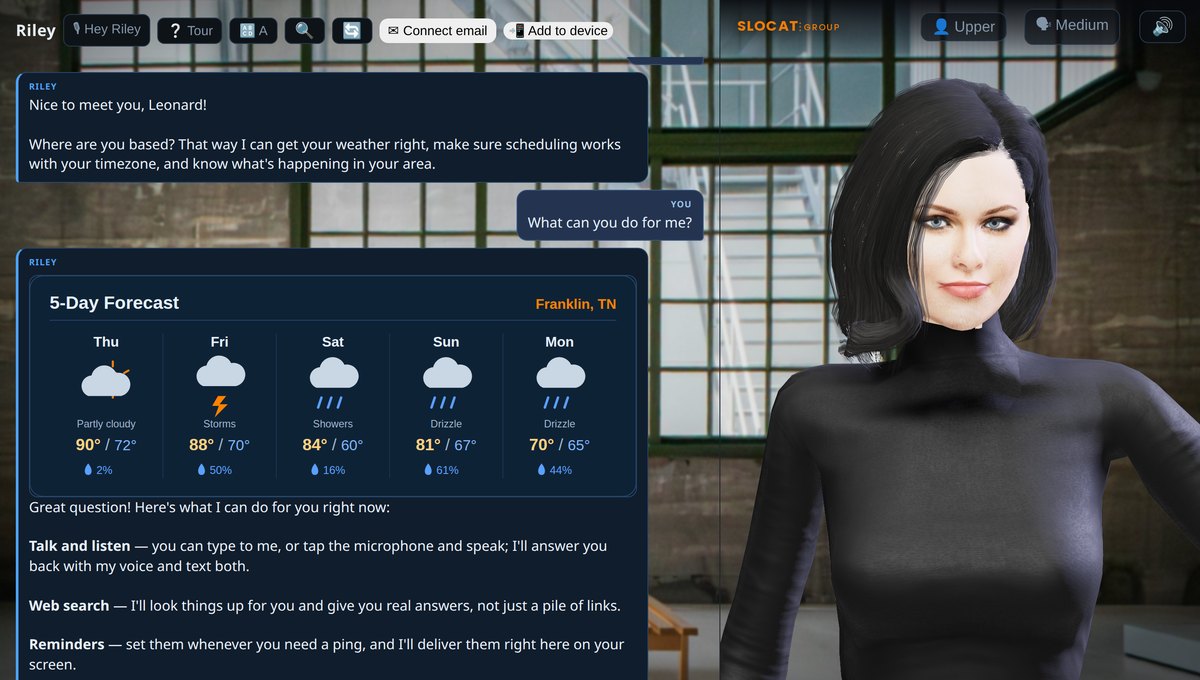
The Slocat Personal Agent on a phone, showing a live five-day weather card and a list of the things it can do.
Ask by voice or text; get the answer back the same way.

Try our demo →

Personal Agent · pricing

A simple monthly subscription.

A flat monthly fee — we host your own private agent, keep it current with regular updates.

Click Here Order Now
Home automation · the pitch in three lines

Three reasons this beats Control4 for most houses.

Half the install cost

Control4 charges a small fortune to set up a system that locks you into their hardware. I install Home Assistant on a small server you keep in your house and integrate the smart devices you already own.

Flat monthly, no per-change invoices

Control4's own subscription is small (about $10/month), but their dealers charge per service call after the install — commonly $150–$400 for adding a single light. My monthly covers updates, breakage, and any change you ask me to make.

Or skip the monthly entirely

One-time training day ($1,500) and you drive an AI coding tool on the mini-PC yourself. Type what you want in plain English; it writes the automation and deploys it. No UI navigation, no integration syntax to learn.

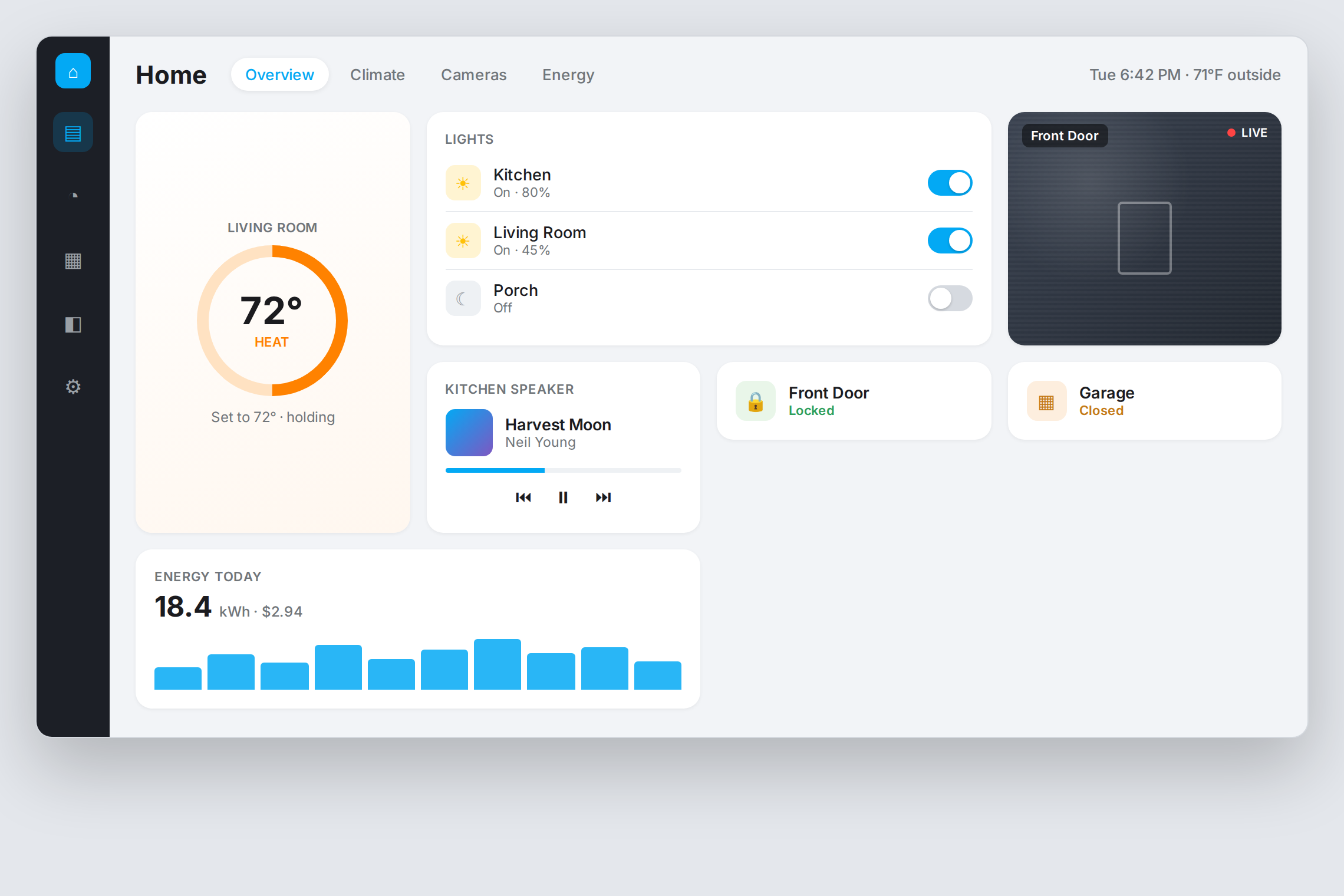
A Home Assistant dashboard showing thermostat, light controls, a front-door camera, a media player, door locks, and an energy-usage graph.
A Home Assistant dashboard — climate, lighting, cameras, locks, media, and energy in one place, running on your own mini-PC. (Representative layout.)
How Home Automation Actually Works

Built on Home Assistant. Wrapped with an AI coding tool.

I've been running Home Assistant personally since 2017. Until very recently I'd have told you it wasn't viable as a commercial service — too much support burden, too many edge cases, too much YAML. An AI coding tool changed that calculus. Things that used to take hours of fiddling now take minutes, including the inevitable troubleshooting.

The teach-yourself path is the one I'm most excited about. The AI coding tool runs on the same mini-PC as your Home Assistant install, with a desktop shortcut as the front door. You open it and type: "Turn the kitchen light on in the morning when the hallway motion sensor triggers and the sun hasn't risen yet." It writes the YAML, deploys it, tests it. No .storage editing, no UI navigation, no learning the integration syntax. For homeowners who want control over their own house but don't want to become Home Assistant power users, that path turns out to be surprisingly comfortable.

If you'd rather not deal with any of it, the maintenance plan covers everything: updates, fixes when something breaks, integrating new devices as you buy them, and any other change you ask me to make. New TV, new thermostat, new doorbell camera, moved switch, reprogrammed scene at 9pm because the kids keep turning the wrong lights off — all included. Cancel anytime; your equipment and integrations stay yours.

A note on networking: I configure Unifi-class routers, access points, VLANs, and guest networks as part of any install. The network is often the prerequisite, not the add-on — when I installed Home Assistant at my mother's house, the first job was upgrading the wifi because some of her smart switches in the far rooms could not get a signal from the existing router. I quote network upgrades separately so the price stays honest. I do not run physical cable through walls — for that I refer to a local electrician.

A note on HACS: most equipment has a native Home Assistant integration. The fragile ones live in HACS (the community add-on store). I install and maintain HACS integrations when they're the only option, but I charge a little extra because they break more often.

Install

$2,500–$8,000

Range depends on house size, integrations, existing smart-home gear. Includes Home Assistant install, integration of every native-supported device, basic dashboards, Unifi network configuration if requested. First two HACS integrations included.

Maintenance

$150–$300 / month

Updates, fixes, integrating new devices, any other change. Cancel anytime; your equipment and integrations stay yours.

Or skip the monthly

$1,500 one-time

Training day. A few hours showing you how to make changes by talking to an AI coding tool on the mini-PC. You drive it from there.
Get in touch

Want either of these at home? Let's talk.

Email is the fastest way to start. The Personal Agent is rolling out soon — say the word and I'll put you on the list. For a smart-home install, I'll be straight with you about whether your house is a good fit before any quote.